
Call for papers software for conferences and events
Collect speaker proposals, manage committee reviews, and publish accepted sessions without rebuilding your event schedule. Sched connects your entire call for papers workflow in one platform, from submission to event day.

From speaker submission to published agenda
Collecting proposals is only the beginning. Sched connects submissions, committee reviews, scheduling, speaker management, and publishing in one workflow—eliminating spreadsheets, duplicate work, and disconnected tools.


Accepted proposals become live sessions
Most call for papers tools help you collect submissions. Then they leave you with a spreadsheet. Sched takes accepted proposals straight into your event schedule, with speaker profiles, session details, and tags already connected. No exports. No rebuilding. No duplicate work.
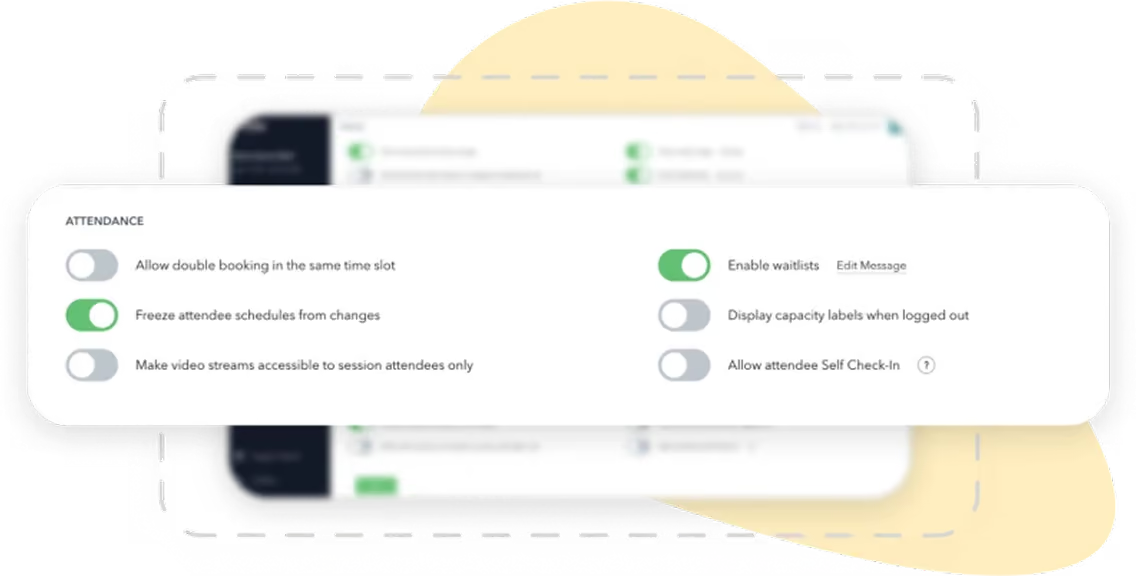

Accepted proposals become scheduled sessions automatically
Speaker bios and session details stay connected
No CSV exports or manual data entry
Publish your schedule sooner with less administration
What you get with Sched CFP
Everything works from the same live event data, so your CFP process stays connected from submission through to your published schedule.


Custom submission forms
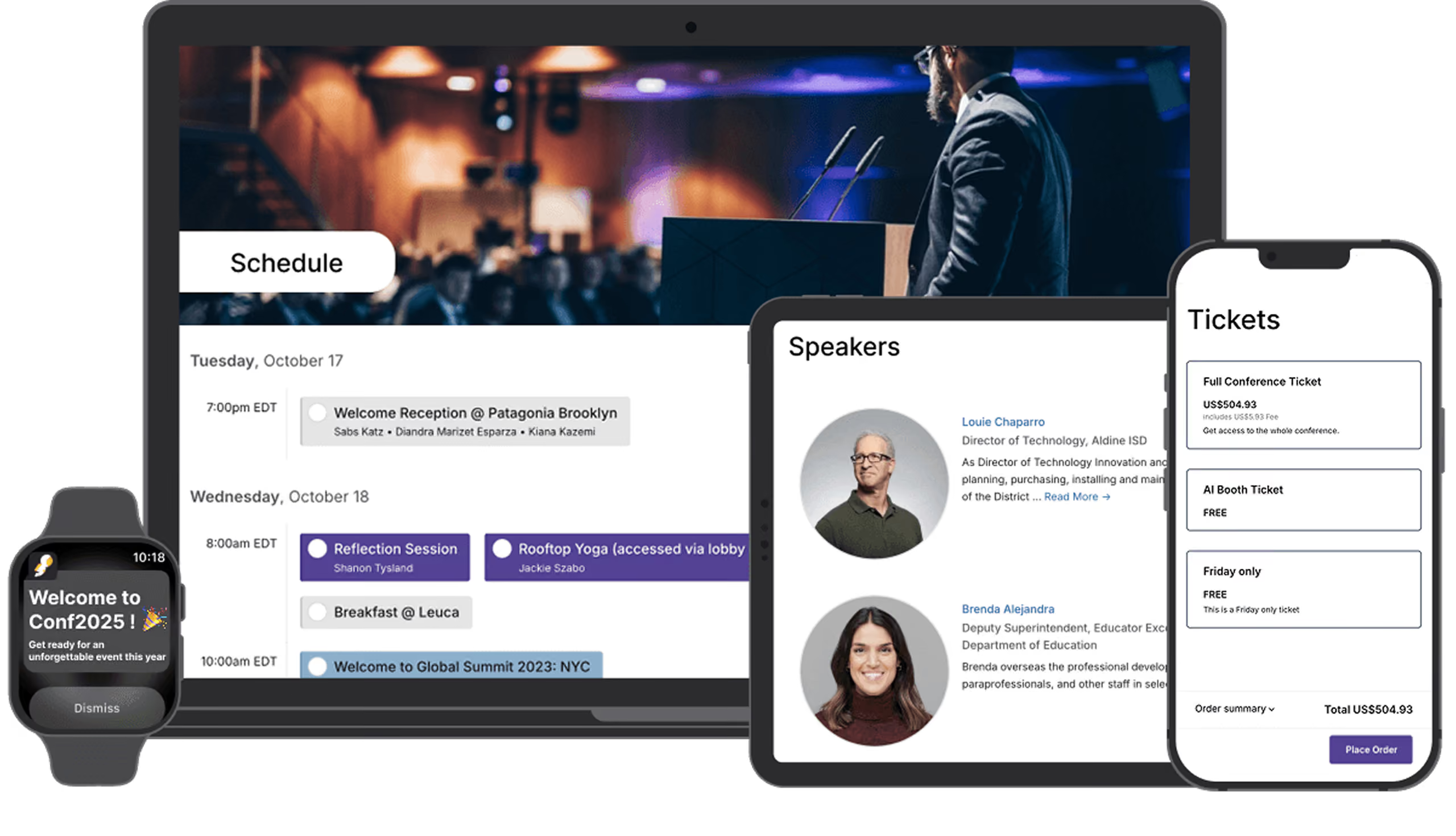
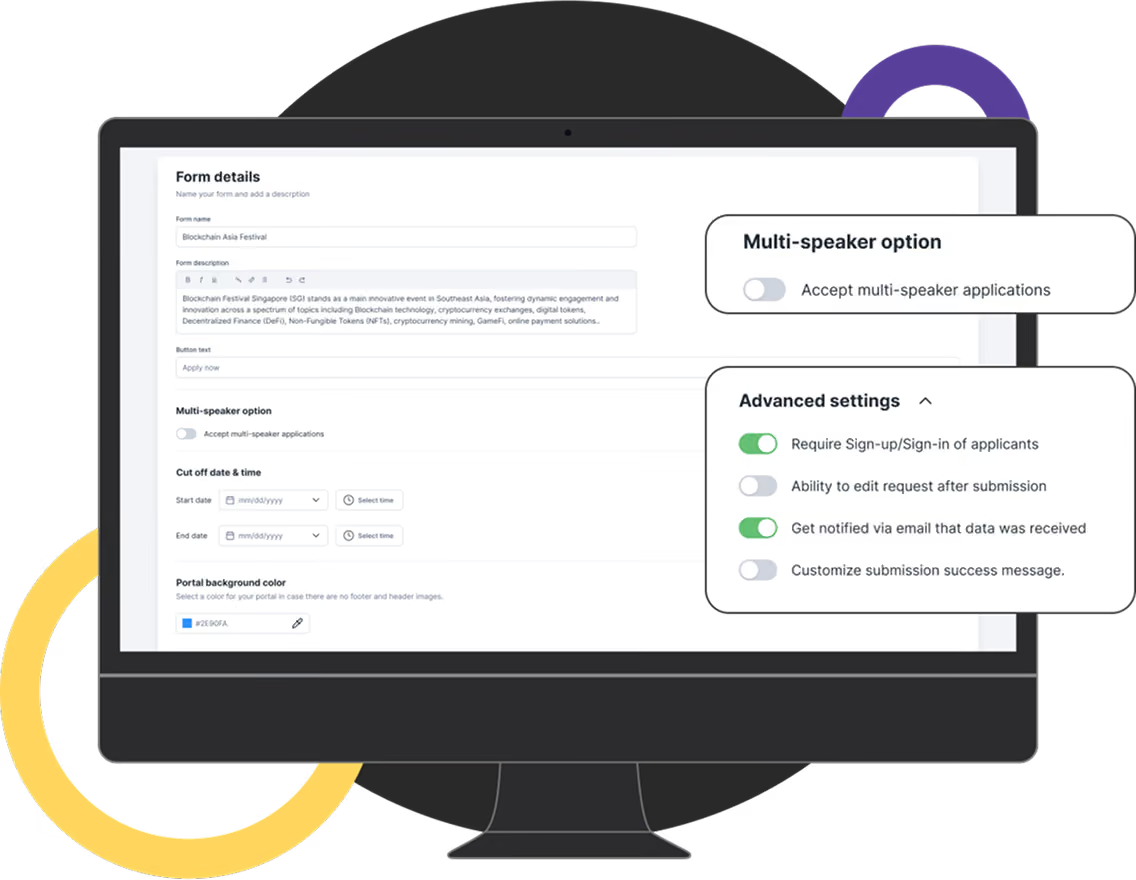
Build submission forms around your event with unlimited fields, file uploads, speaker bios, and custom questions. No developer required.


Conditional logic
Only ask for additional information when it’s needed, keeping submissions simple for speakers while capturing everything your reviewers need.


Multi-speaker submissions
Support panels, workshops, and co-presented sessions with multiple speakers attached to a single proposal.


Committee review workflows
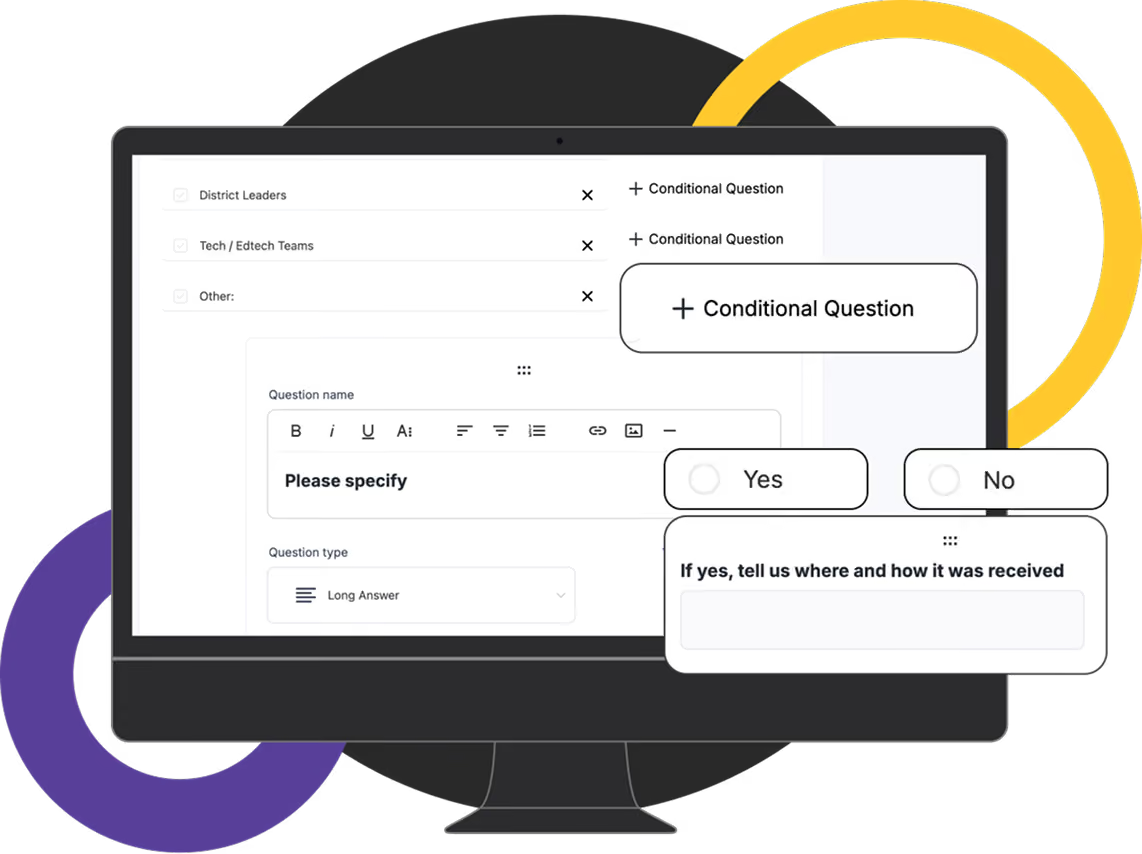
Assign reviewers by track, configure anonymous, blind, or open reviews, and manage the entire review process from one place.


Real-time collaboration
Committee members work from shared scores and comments, helping decisions happen faster without email chains.

One-click schedule publishing
Approved proposals move directly into your schedule with speaker profiles, session descriptions, and tags already attached.

How your CFP works in Sched
Move from submissions to a published event without changing systems
Open submissions
Launch a branded CFP form with a public link or invite selected speakers directly.
Review proposals
Assign reviewers, score submissions, and manage decisions across every track.
Approve sessions
Approve, reject, or waitlist proposals from one shared workspace.
Build your schedule
Accepted sessions automatically become part of your event schedule.
Publish everywhere
Your website, mobile app, and attendee experience are immediately ready to go.
What speakers see
The easier it is to submit, the stronger your speaker lineup becomes.
Simple online submission form
Save progress and finish later
Submit for multiple speakers or panels
Upload bios, headshots, and presentation files
Track submission status
Update speaker information without starting again

Your CFP. Your brand.
Your call for papers is often the first interaction speakers have with your event. Make it feel like part of your brand from the very beginning.

Custom colors and logos

Branded submission pages

Custom instructions and field labels

Custom domain or embedded on your website

Consistent branding across your event
Built for review committees
The easier it is to submit, the stronger your speaker lineup becomes.

Reviewer dashboard with assigned submissions and deadlines
Filter and sort proposals by track or status
Anonymous, blind, or open review options
Reviewer permissions and visibility controls
Shared scores and comments
Built for every conference type
Whether you’re running a research symposium or an industry conference, Sched adapts to the way your review process works.
Academic and research conferences
Association conferences
Technology and developer events
Professional development programs
Corporate summits
Industry conferences and trade shows
Single and multi-day conferences
Everything stays connected
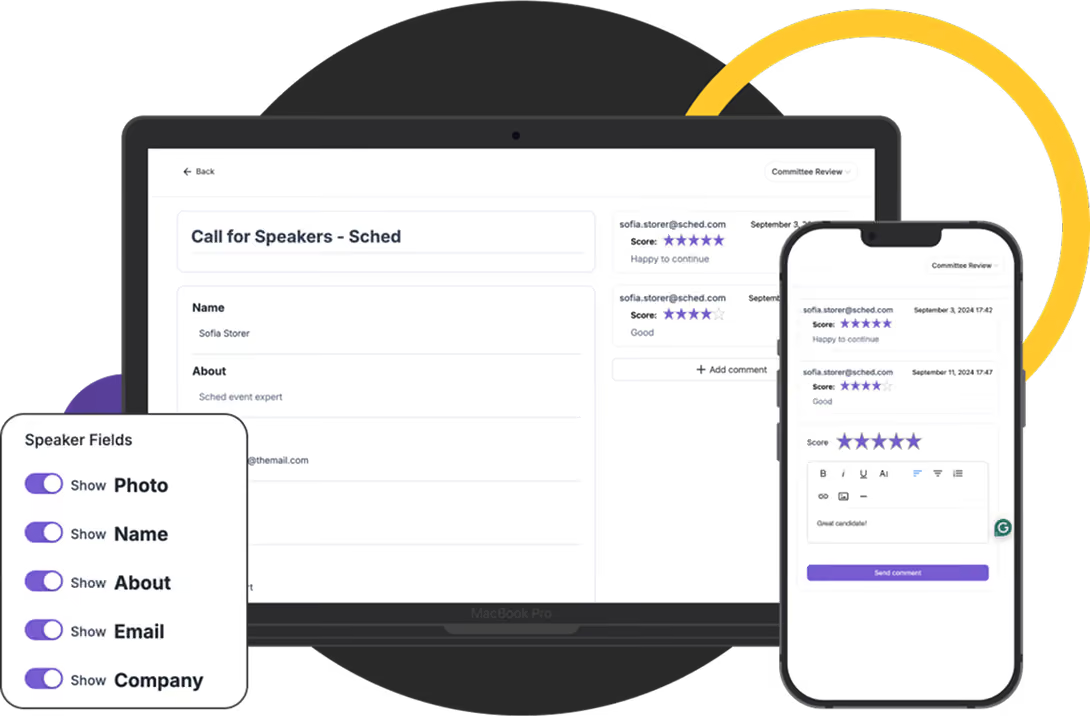
Call for papers is only one part of delivering a successful event. Because Sched manages your CFP, schedule, website, mobile app, check-in, and attendee experience in one platform, accepted proposals are ready for every stage that follows.
Speaker profiles
Event website
Session pages
Mobile app
Attendee agenda
Track submission status
One platform.
One source of truth.
From proposal to published session.
Trusted by organizations running professional events
Real stories and measurable results from the organizations that rely on our platform.


Sched allowed our team to quickly set up an entire event for 600+ people with Call for Papers. It was quick and easy to follow.

Misty S.
Application Integration Specialist

Simplify your speaker workflow
Stop rebuilding your event after submissions close. Sched connects speaker submissions, committee reviews, scheduling, and publishing in one platform, helping your team spend less time managing workflows and more time delivering a great event.
See how Sched could support your next event. No obligation. Just a chance to explore whether it’s the right fit for your organization.

Questions
Everything you need to know about Sched pricing and plans.
Sched streamlines the submission process with a user-friendly interface, allowing speakers to easily submit their proposals. Our platform supports multispeaker submissions, dynamic speaker profiles, and automatic tracking, making it easier to manage and review submissions.
The ‘Call for Papers’ tool is absolutely free for anyone. This tool is at your service if you want to deliver first-class speakers for your attendees. No charge!
There are more advanced versions of the tool available too, if you are curious. In the meantime, feel feel to use it right now and see what you think.
Sched’s multispeaker support allows you to easily add and manage multiple speakers for a single session. You can dynamically update speaker profiles and session details, ensuring accurate information is always displayed.